Fast Backups
WordPress plugin
Your whole WordPress site in one portable backup file.
Fast Backups packages your database, media, themes, plugins and supported site files into one .wpbackup file you can download, restore, or import into another WordPress site.
Free. Local backup, download, import and restore need no account.
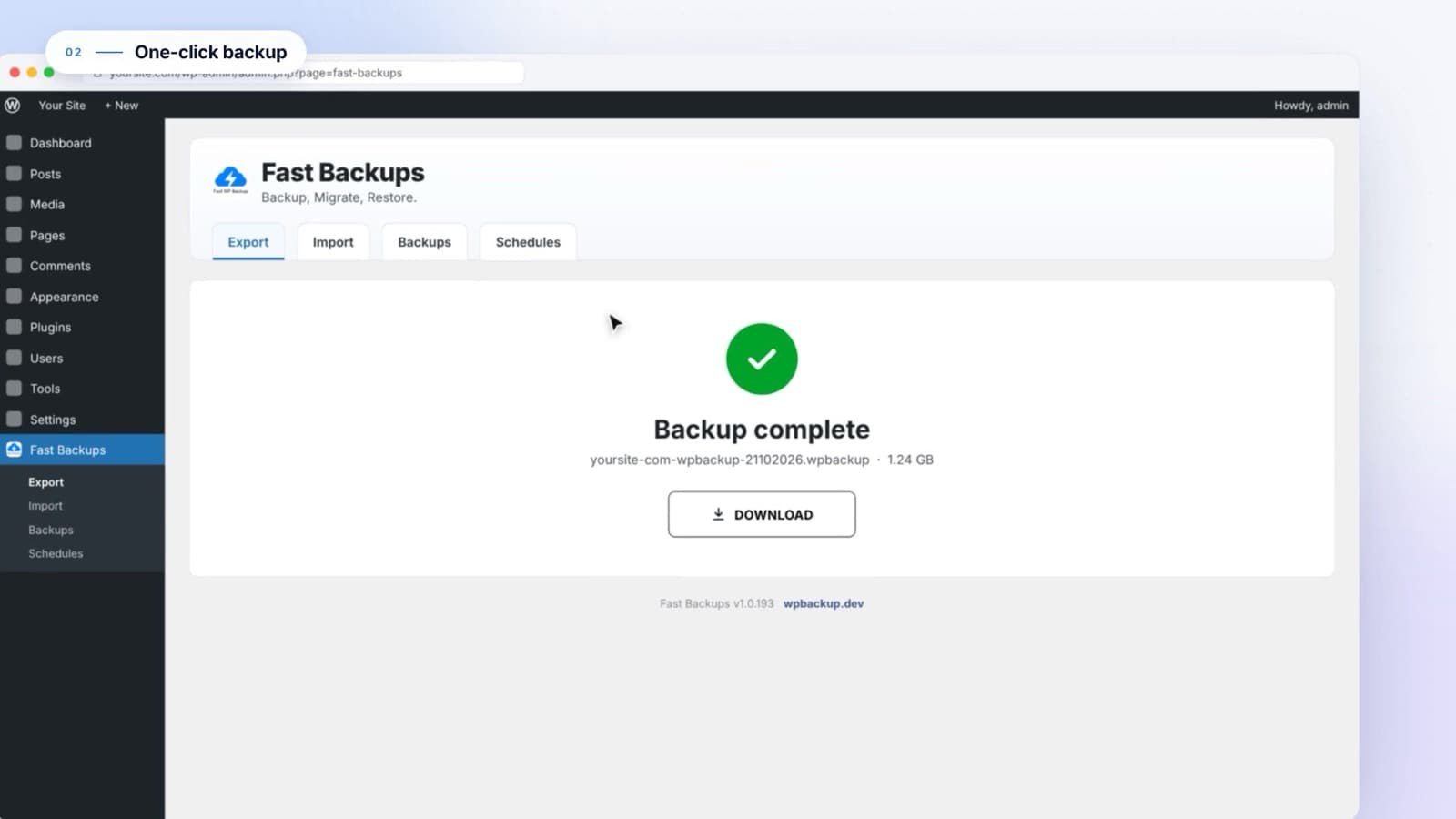
Available backups
Screens from the Fast Backups product demo on wpbackup.dev.
What Fast Backups does
- What it is
- A WordPress plugin for complete site backups, restores and migrations, run from the dashboard.
- Who it is for
- Site owners, agencies and developers who want a straightforward workflow without database tools or server commands.
- The problem it solves
- Updates, redesigns and host moves can break a site. Fast Backups gives you a restore point first and a clear way back.
- Why use it
- One file holds the whole site. Restores are validated before anything is replaced, and schedules can keep copies off the server.
Key features
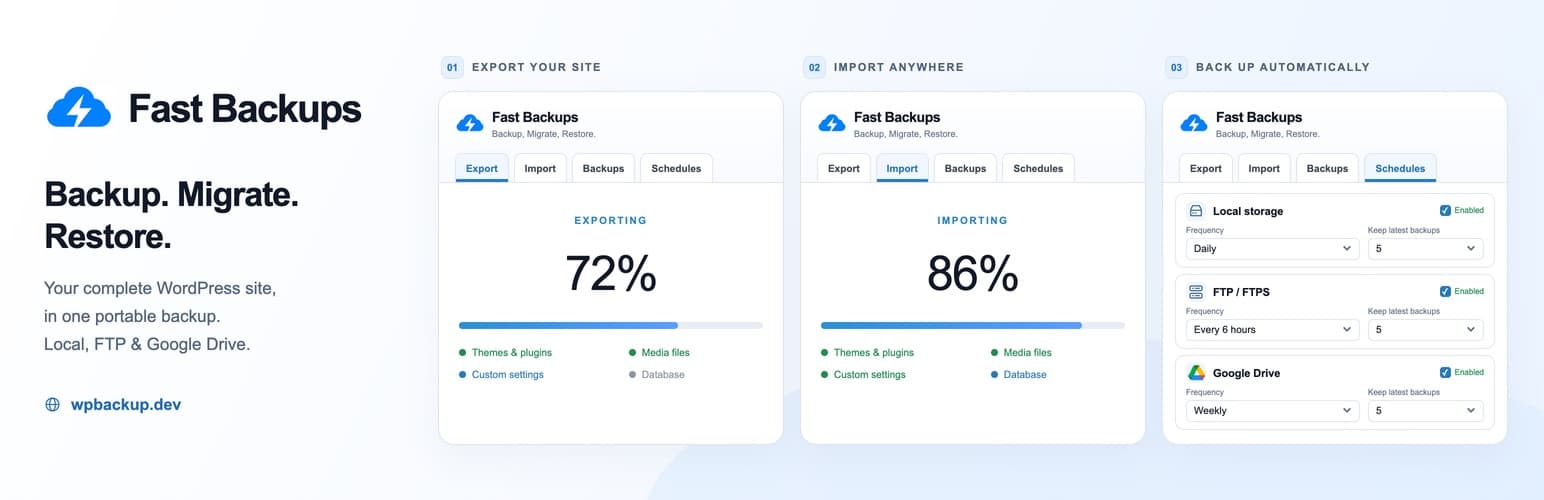
Local storage
Restore points kept on your own server
FTP / FTPS
Off-site copies on a server you own
Google Drive
Cloud copies safe from server failures
Plugin artwork from the WordPress.org listing.
Complete backups
Database with plugin and theme settings, uploads, installed themes and plugins, and supported site-root files, with live progress.
Protected restores
Archives and manifests are checked first. If a restore fails after replacement begins, Fast Backups attempts to recover the original site.
Migration
Import on a new host or domain. Old URLs are replaced, including inside serialized WordPress data.
Scheduled backups
Separate Local, FTP/FTPS and Google Drive schedules: hourly, every six hours, daily, weekly or monthly, each with its own retention.
Optional encryption
Protect an export with a password using AES-256-CBC when OpenSSL is available. The password cannot be recovered.
Admin-only safeguards
Every action needs administrator access and WordPress nonces, and restore paths are validated.
How it works
- 1
Install
In WordPress go to Plugins > Add New, search for Fast Backups, install and activate.
- 2
Export
Open Fast Backups > Export and click Export. Your site is packaged into one .wpbackup file.
- 3
Download a copy
Save the backup somewhere safe, away from the server.
- 4
Restore or migrate
Restore from the Backups list, or import the file into another WordPress site.
- 5
Schedule it
Turn on Local, FTP/FTPS or Google Drive schedules so backups keep running.
- Current version
- 1.0.201
- WordPress
- 5.3 or higher, tested up to 7.1.3
- PHP
- 7.2 or higher
- Destinations
- Local, FTP/FTPS, Google Drive
- Price
- Free on WordPress.org
Make a restore point before your next update.
Fast Backups is free on WordPress.org. Your first backup takes about a minute.