
Grab Pic
Windows & macOS app
Capture the screen. It is already on your clipboard.
Grab Pic is a free screenshot app for Windows and macOS. Capture your full screen or a selected area, and every capture is copied to your clipboard and saved automatically into tidy folders.
Free and open source. No account, no ads, no screenshot uploads.
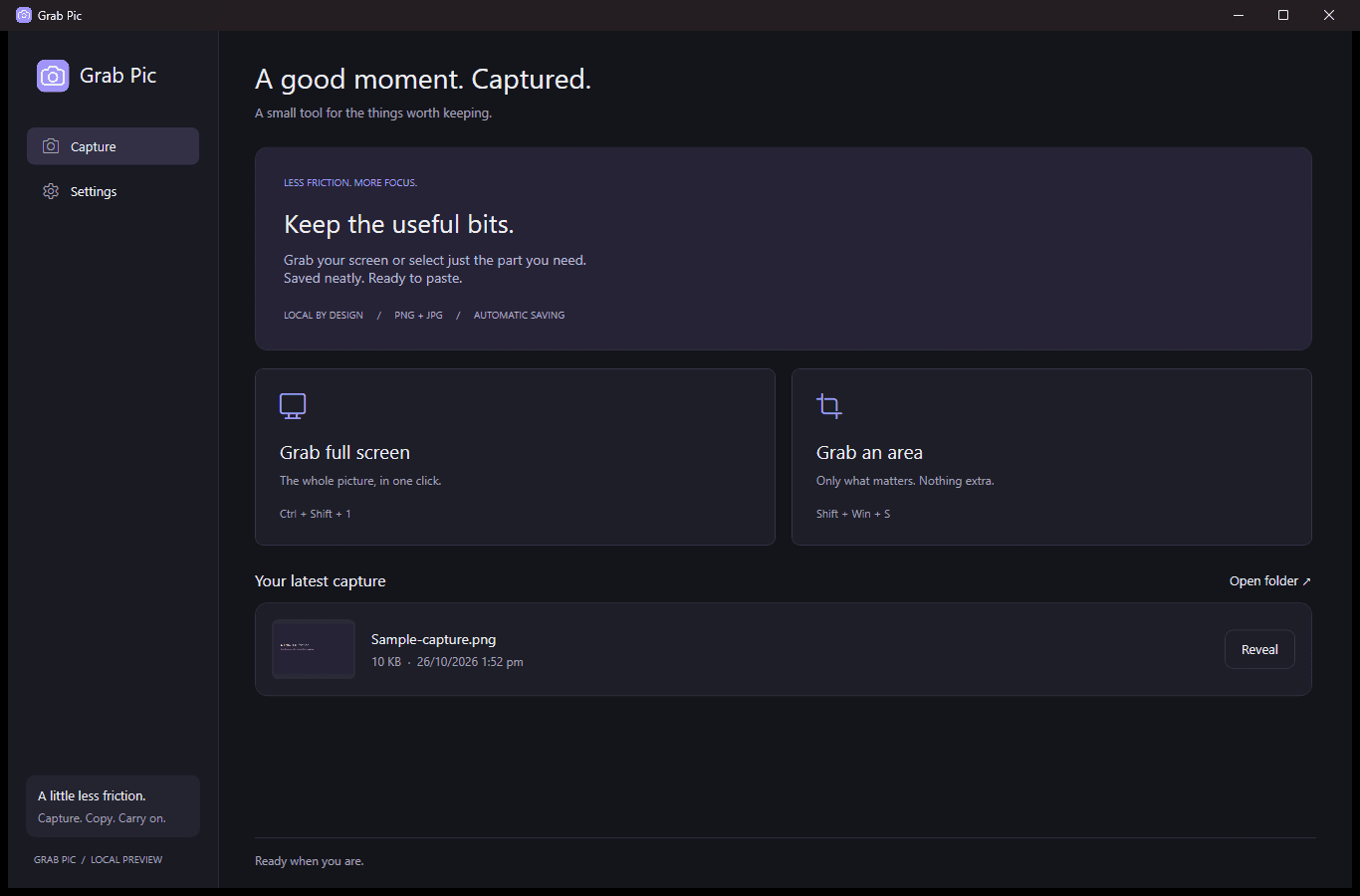
Screenshot from the Grab Pic Microsoft Store listing.
What Grab Pic does
- What it is
- A small screenshot tool for Windows and macOS that runs in the background and stays out of your way until you press a shortcut.
- Who it is for
- Anyone on Windows or macOS who takes screenshots often and wants them saved and organised without extra steps.
- The problem it solves
- Screenshots pile up on the desktop or get lost after you paste them. Grab Pic copies and files each one at the same time.
- Why use it
- It does not pop open after every capture, and your latest saved image is one click away, even after a restart.
Key features
Shortcuts you can change
Grab full screen
Grab an area
Saved where you expect
- Grab Pic
- October 2026
- capture-1352.png
- capture-1410.jpg
Daily, weekly or monthly folders.
Format and quality
Image quality
No account, no ads, no uploads.
Shortcuts as shown in the Store screenshot. File names are illustrative.
Full screen
Capture the whole picture in one shortcut.
Select an area
Drag to grab only the part you need.
Clipboard and auto-save
Every capture is copied to your clipboard and saved automatically.
Organised folders
Keep captures in daily, weekly or monthly folders, as PNG or JPG with adjustable quality.
Your shortcuts
Customise the keyboard or mouse shortcuts to fit how you work.
Private by design
Runs quietly in the background. No account, no ads and no screenshot uploads.
How it works
- 1
Install Grab Pic
It is free. On Windows, install it from the Microsoft Store like any Store app.
- 2
Press your shortcut
Capture the full screen, or drag to select an area.
- 3
Paste anywhere
The image is already on your clipboard.
- 4
Find it later
Saved copies wait in your daily, weekly or monthly folder.
- Publisher
- Owl Dev
- Platforms
- Windows and macOS
- Windows requirements
- Windows 11 version 22000.0 or higher, Intel and AMD x64 PCs, 300 MB memory
- Windows download
- About 68 MB from the Microsoft Store
- Category
- Photo & video
- Price
- Free

A little less friction for every screenshot.
Install Grab Pic free from the Microsoft Store.
More from NXT LABS
All products campaign-banner.png95% smallerBefore5.5 MBAfter275 KB
Compressify
Image & PDF compression on the web, in Figma and WordPress
- interview.wavMP3, 320 kbps

MP3 Audio Converter
Convert audio and video files to MP3 online
- B
INVOICE
INV-1042
Brand sprint$1,400UI polish pass$600Total$2,000.00
Owl Invoices
Free invoices, PDFs and business calculators